PHP & MySQL Tutorial
- Retrieving/Sorting Data from Tables


The wild character * used to view all data in a table can be replaced with a column name to get data from that specific
column:
SELECT column_name FROM table_name;
Here is the schema for a newly created bogotobogo_database.sci_books table:
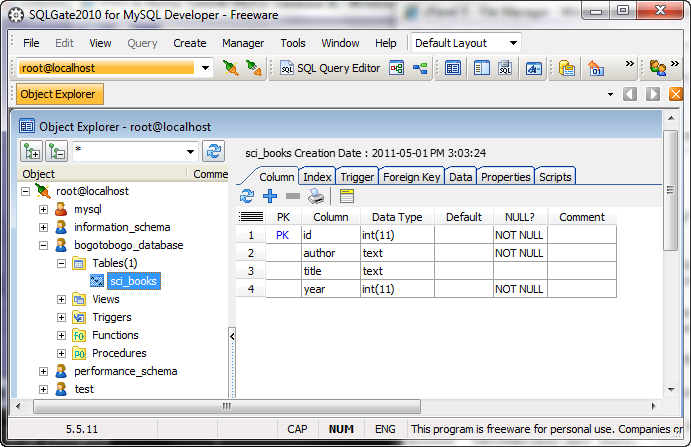
Then, we added the contents into the table:
use bogotobogo_database;
insert into sci_books (author, title, year)
values("Orson Scott Card",'Ender"s Game',1985);
insert into sci_books (author, title, year)
values("Frank Herbert","Dune",1965);
insert into sci_books (author, title, year)
values("Isaac Asimov","Foundation",1951);
insert into sci_books (author, title, year)
values("Douglas Adams",'Hitch Hiker"s Guide to the Galaxy',1979);
insert into sci_books (author, title, year)
values("George Orwell","1984",1949);
insert into sci_books (author, title, year)
values("Robert A Heinlein","Stranger in a Strange Land",1961);
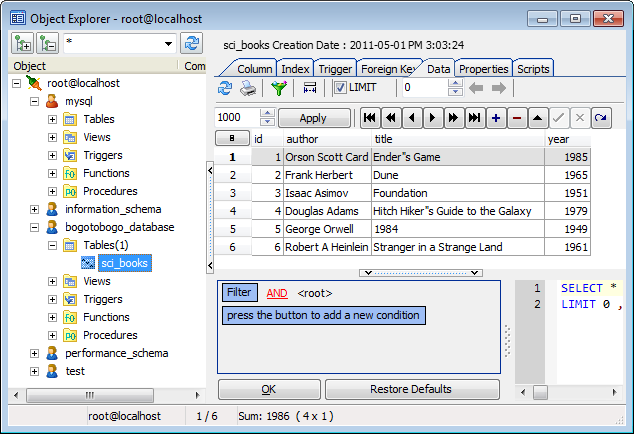
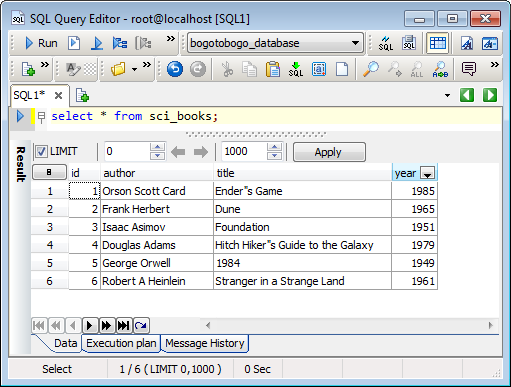
select * from sci_books;
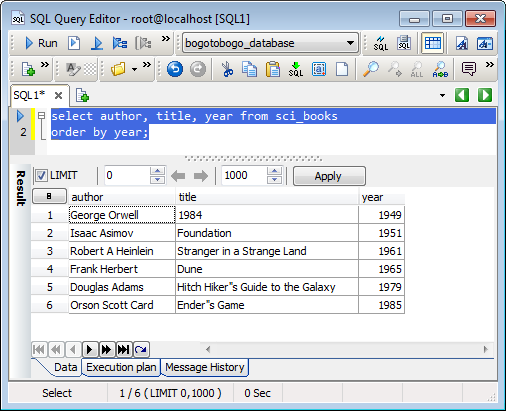
select author, title, year from sci_books
order by year;
The select query can copy specific rows into a new table to populate its columns. The new table inherits the column names and characteristics from the table from which the data is being copied.
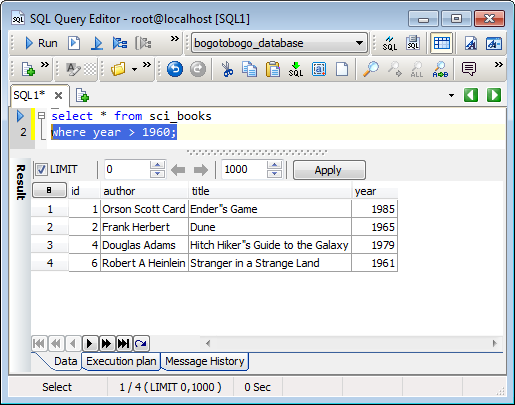
select * from sci_books
where year > 1960;
Fields of a table can be copied into fields of another table using an insert into query:
INSERT INTO table_name (col, col)SELECT col, col WHERE col = value ;
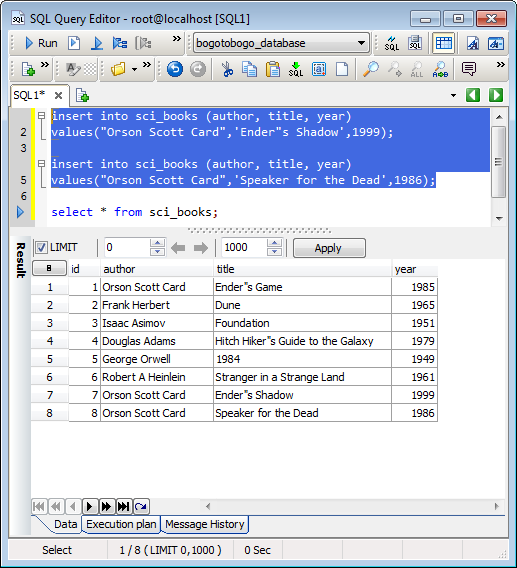
Let's insert more data into the sci_books table:
insert into sci_books (author, title, year)
values("Orson Scott Card",'Ender"s Shadow',1999);

insert into sci_books (author, title, year)
values("Orson Scott Card",'Speaker for the Dead',1986);

select * from sci_books;
Then, we made a new table called OrsonCard_books using the same schema for the sci_books table.
We want populate this new table from the selected field of sci_books table:
CREATE TABLE `OrsonCard_books` (
  `id` int(11) NOT NULL AUTO_INCREMENT,
  `author` text NOT NULL,
  `title` text NOT NULL,
  `year` int(11) NOT NULL,
  PRIMARY KEY (`id`)
) ENGINE=InnoDB AUTO_INCREMENT=21 DEFAULT CHARSET=latin1;
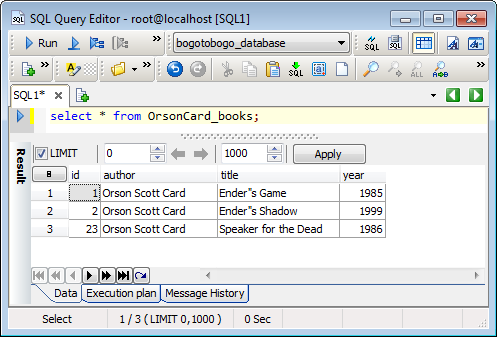
Then, using INSERT INTO query:
insert into OrsonCard_books (author, title, year)
select author, title, year from sci_books
where author = 'Orson Scott Card';
We get the following:
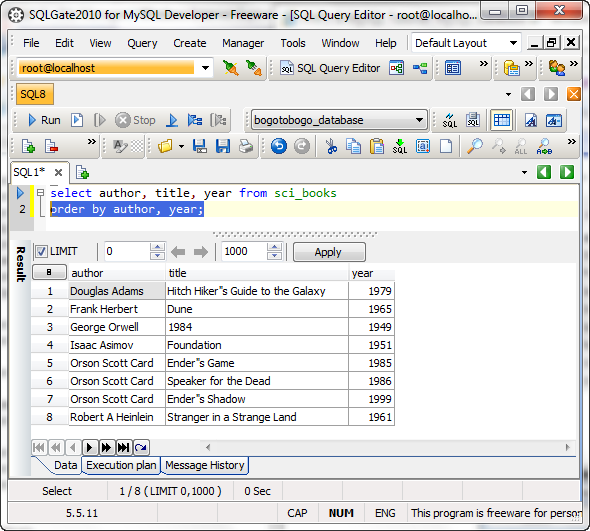
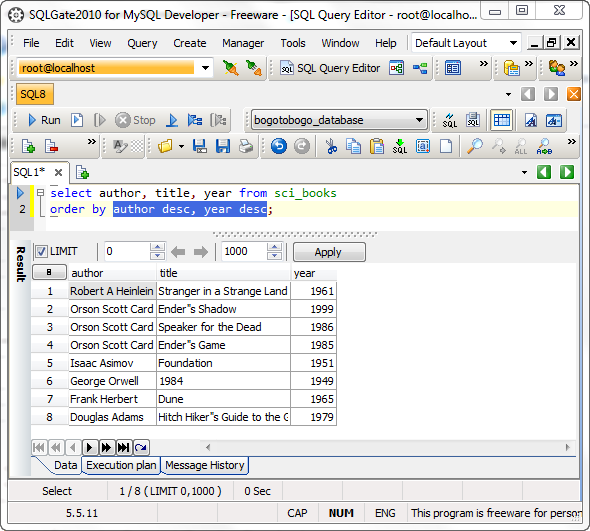
Let's go back to the sci_books table. We're going to display the table, first sorted by author, and then sorted by year.
select author, title, year from sci_books
order by author, year;
If we sort in descending order:
select author, title, year from sci_books
order by author desc, year desc;
Then, we get:
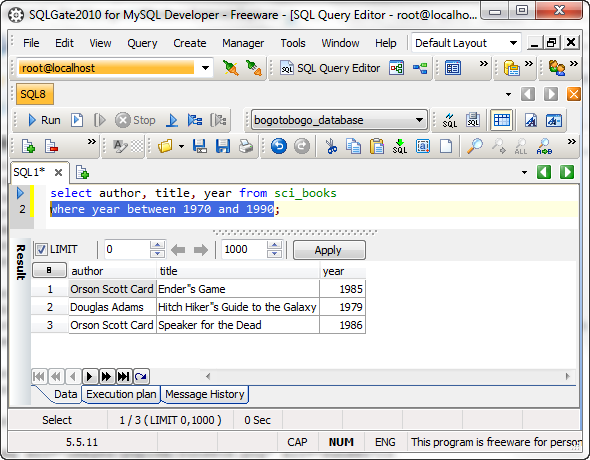
The WHERE clause in a SELECT query can test if the value in a column falls within a specified range using the keywords BETWEEN and AND:
select author, title, year from sci_books
where year between 1970 and 1990;
Then, we get:
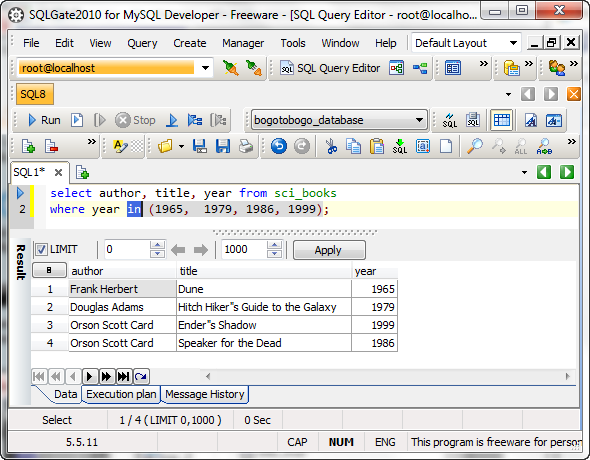
We can also use IN to get a list of rows:
select author, title, year from sci_books
where year in (1965,  1979, 1986, 1999);
Then, we get:
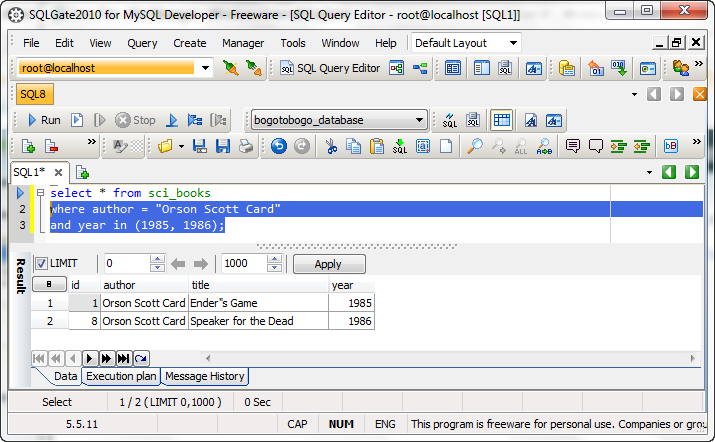
A little bit more complex case:
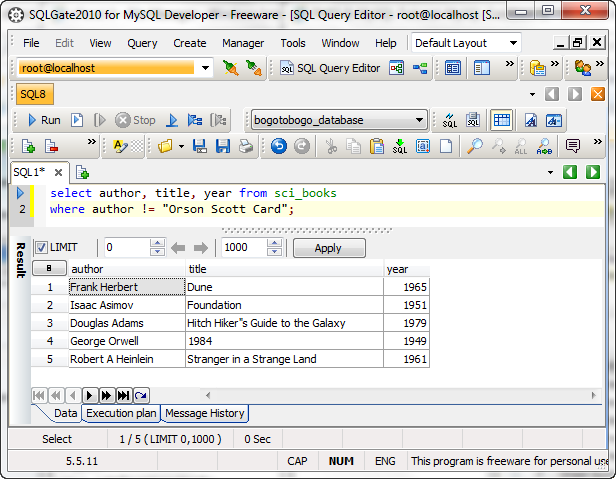
When we compare strings with the SQL comparison operators will only return data when the column's value exactly matches the specified text that we are comparing with. This requires the exact match. The LIKE offers another way of making comparisons against strings without complete match.
select author, title, year from sci_books
where author like "%Orson%";
The "%" matches zero, one or more characters at the point where it appears in the search pattern. For example, "%str%" can be used to match any compared column that contained the string "str", regardless of any other text before or after the string.
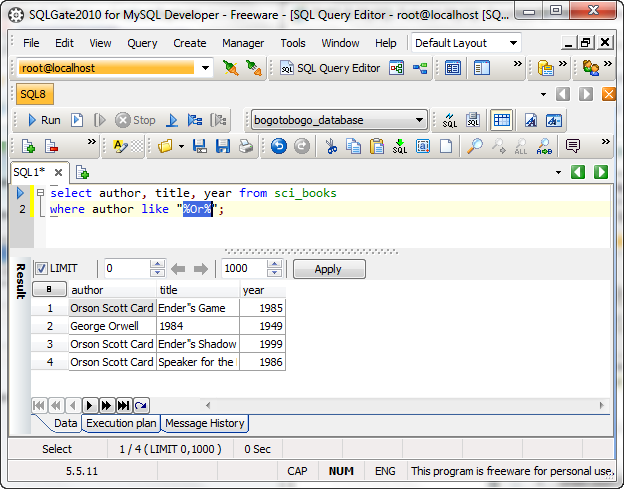
While the "%" represents zero, one, or more characters, the underscore, "_", represents just a single character in a search pattern. In the example, we used 4 underscores to search for a title with 4-characters:
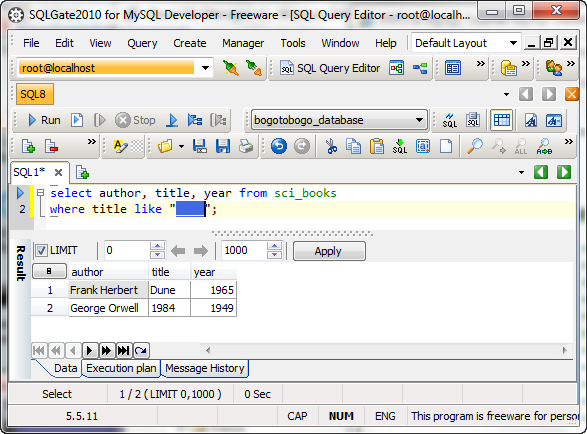
Here is an example for non-matching case:
TABLE
| Reg Ex | Patterns |
|---|---|
| "A" | A single character - any string containing a letter A |
| "[abc]" | A list of characters - any string containing one of the letters "a", "b", or "c" |
| "[a-z]" | A range of characters - any string containing one of the letters "a" through "z" |
| "^G" | A single character at the beginning of the string - any string starting with the letter "G" |
| "B$" | A single character at the end of the string - any string ending with the letter "B" |
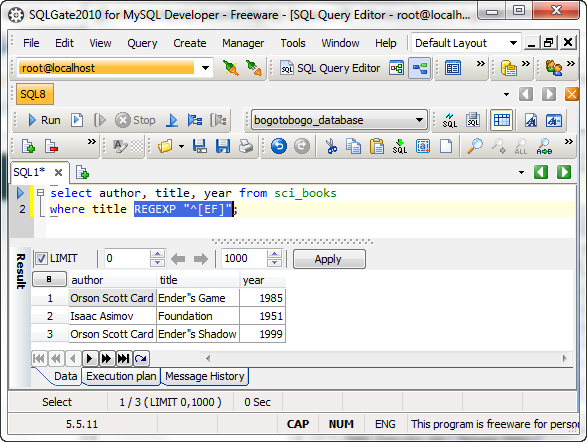
In the example below, we are looking for books which have a title starting with a character "E" or "F":
Ph.D. / Golden Gate Ave, San Francisco / Seoul National Univ / Carnegie Mellon / UC Berkeley / DevOps / Deep Learning / Visualization
 My YouTube channel